One Gateway for all your MCP tools.
Move your MCP connectors off your team's laptops and serve their tools from one endpoint per Virtual MCP. Clients sign in with OAuth or send an API key, and every tool call is logged.
Read the transcript
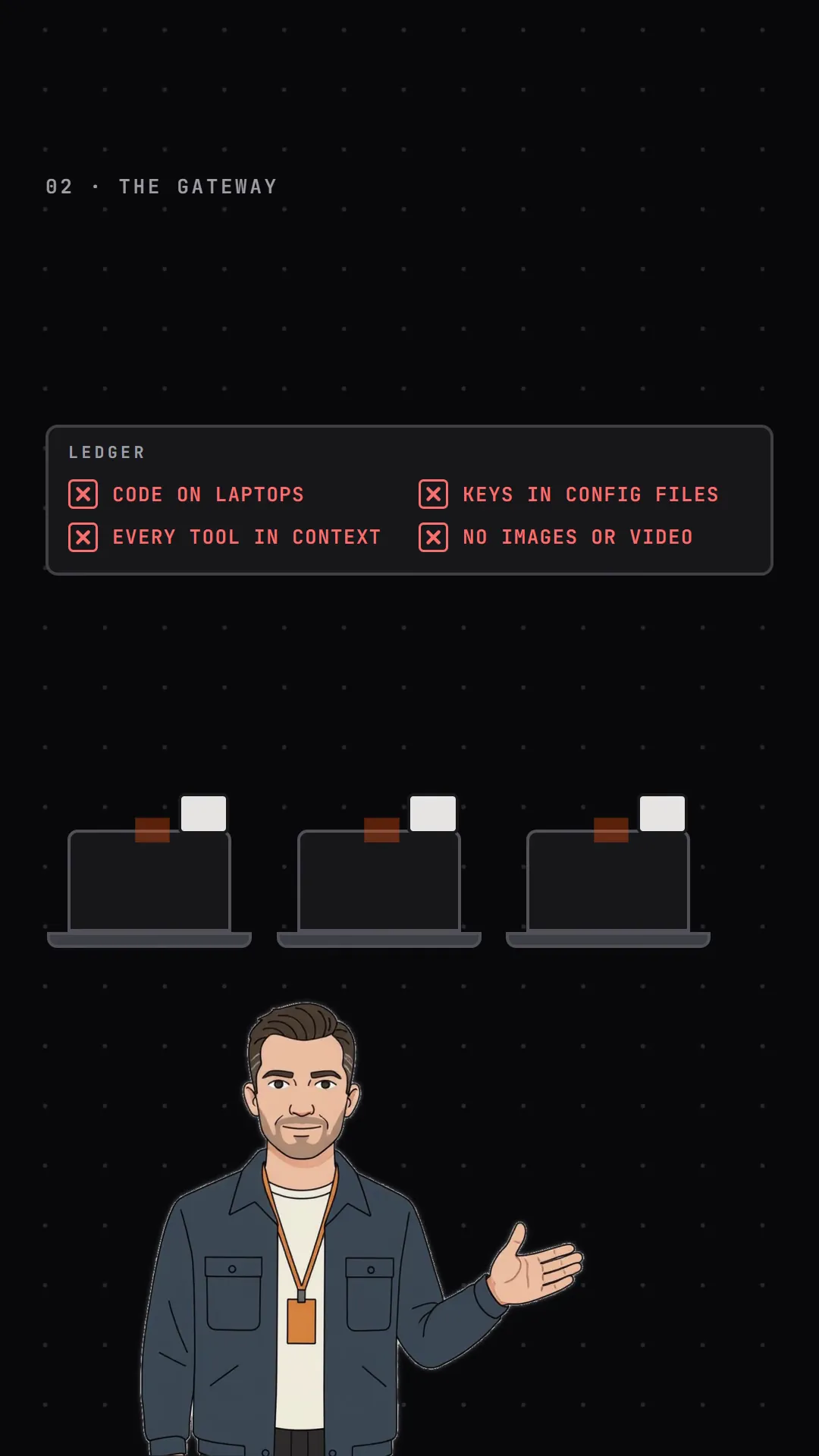
- Code on laptops
- MCP gave AI agents hands. It also put a stranger's code on every laptop in your company.
- Your permissions
- Those servers run with your permissions. One poisoned update, and that code can read your files, your keys, and anything your laptop can reach.
- The whole team
- Now multiply that by your whole team. Which servers are installed? What are they touching? Whose API key is in that config file?
- Every tool in context
- And every server loads all of its tools into your agent's context: Dozens of tools for a job that needs three.
- No images or video
- They can't return images and video.
- Off the laptop
- BridgeMCP moves your MCP servers off the laptop and behind one gateway.
- Built-in connectors
- Start with built-in connectors our team writes and maintains, or add your own.
- Public packages
- Run any public MCP package in its own isolated container. If one misbehaves, it goes on the blocklist for every organization at once.
- Set up once
- Credentials are set up once for the whole organization, so your team just signs in and never pastes an API key.
- One endpoint
- Pick the connectors each job needs, à la carte, served from one endpoint.
- Tool switches
- Switch off any risky tool, and it drops out of the agent's context. Calls to it are refused.
- Tool-call log
- Every tool call is logged: which tool, which connector, and who called it, a person, an API key, or an agent.
- Images and video
- Need media? Generate images and video from the client you already use. When a video's ready, your agent gets a download link and keeps building.
- Bridge Agents
- And Bridge Agents use the same connectors and the same switches.
- BridgeMCP Gateway
- BridgeMCP Gateway. Your MCP tools, off the laptop and under control. Head over to bridgemcp.io to get started.
What the gateway fixes
The film keeps a ledger of what goes wrong when every laptop runs its own MCP servers. Each row is fixed by a part of the gateway.
Connectors run on BridgeMCP, not on laptops
Connectors belong to your organization and live on BridgeMCP, so your team's clients connect to one endpoint instead of each laptop installing and running its own MCP servers. Remote MCP servers are reached over Streamable HTTP or SSE.
Stdio connectors run in a container that BridgeMCP manages, one per connector.
Built-in connectors, templates or your own server
Built-in connectors are written and maintained by the BridgeMCP team, among them Google Workspace, Slack, Notion, Stripe, Sentry, fal.ai, OpenAI Media, Google Media and Higgsfield.
Start from a third-party template such as GitHub, or add your own remote MCP server over Streamable HTTP or SSE. Transport, headers and OAuth client settings live on the connector.
Credentials once, then your team signs in
Connector credentials are your own and are set up once for the organization, not copied into each teammate's config file.
OAuth connectors are authorized once for each Virtual MCP they belong to, with PKCE. Every user, API key and agent calling that Virtual MCP uses the same upstream tokens, so the upstream sees the account that authorized it. Use separate Virtual MCPs for separate accounts. An expiring or expired token is refreshed on the next call when the provider issued a refresh token.
Clients sign in with OAuth, including dynamic client registration, as members of your organization, or send an API key that only works for one Virtual MCP. Require an API key on a Virtual MCP to refuse OAuth sign-ins there. Owners and Admins create, disable, rotate and revoke keys.
One endpoint per Virtual MCP
A Virtual MCP bundles the connectors a job needs, à la carte, and serves their tools from one endpoint URL. Adding or removing connectors keeps the URL.
Each tool is named after its connector, so GitHub's pull_request_read arrives as github.pull_request_read. The gateway serves tools; it does not proxy resources or prompts.
Switch off the tools a job should not have
Switch individual tools on or off for each Virtual MCP. A switched-off tool is left out of tools/list, so it never reaches your agent's context through that Virtual MCP, and it is refused if called.
Agents attached to the Virtual MCP lose a switched-off tool in jobs that start afterwards; a running job keeps the tools it started with.
Every tool call is logged
Every tool call is logged with its Virtual MCP, connector, caller, latency and status, and kept for 90 days. The caller is a person, an API key or an agent.
Filter the log by status, Virtual MCP, tool name or caller type, or turn on 10-second auto-refresh. The dashboard shows daily volume and calls per connector for the last 30 days.
Images and video from the client you already use
Built-in media connectors generate images and video: OpenAI Media, Google Media, fal.ai and Higgsfield.
With OpenAI Media and Google Media, generate_video returns an id and check_video polls
it. Once the video is ready, BridgeMCP stores the file and returns a download link, so your agent can save it
into the project and keep building.
fal.ai and Higgsfield return links hosted by the provider.
Isolated by organization
Connectors and their credentials, Virtual MCPs, API keys, agents, jobs and webhook triggers each belong to one organization. The gateway never serves a Virtual MCP outside the caller's organization: signed-in users get not found for another organization's Virtual MCP, and an API key is refused on every Virtual MCP but its own.
Agents use the same connectors and switches
Bridge Agents call your Virtual MCPs too. An agent gets its Virtual MCP's tools with the same tool switches, so a tool you switch off stays off for the agent.